
日期:2026-03-14 系统:VPS(s877652)/ OpenClaw v2026.3.8 记录人:Wei
一、背景
OpenClaw 部署在 VPS 上,最近经常性的出现发送消息回复慢的问题,之前通过配置多个api key的方式尝试解决都没有好的效果,最多的时候甚至配置到了三个api key。
今天再次出现发送后没有响应的问题,决定彻底的把问题查清楚。之前的处理过程中更多的依赖大模型的处理方案,这次坚决要求其给出处理方案的openclaw的官方文档的依据,明显的感觉靠谱了很多。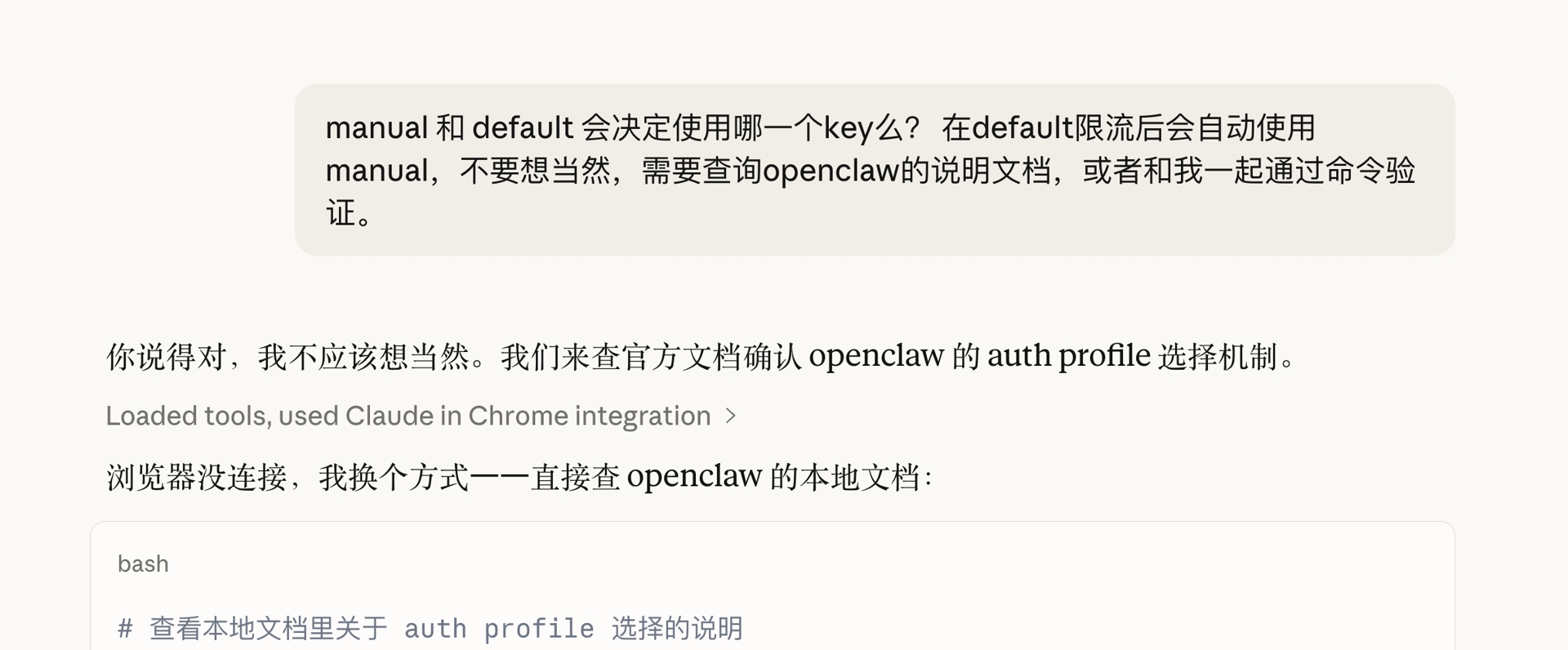
二、初步排查
2.1 服务状态确认
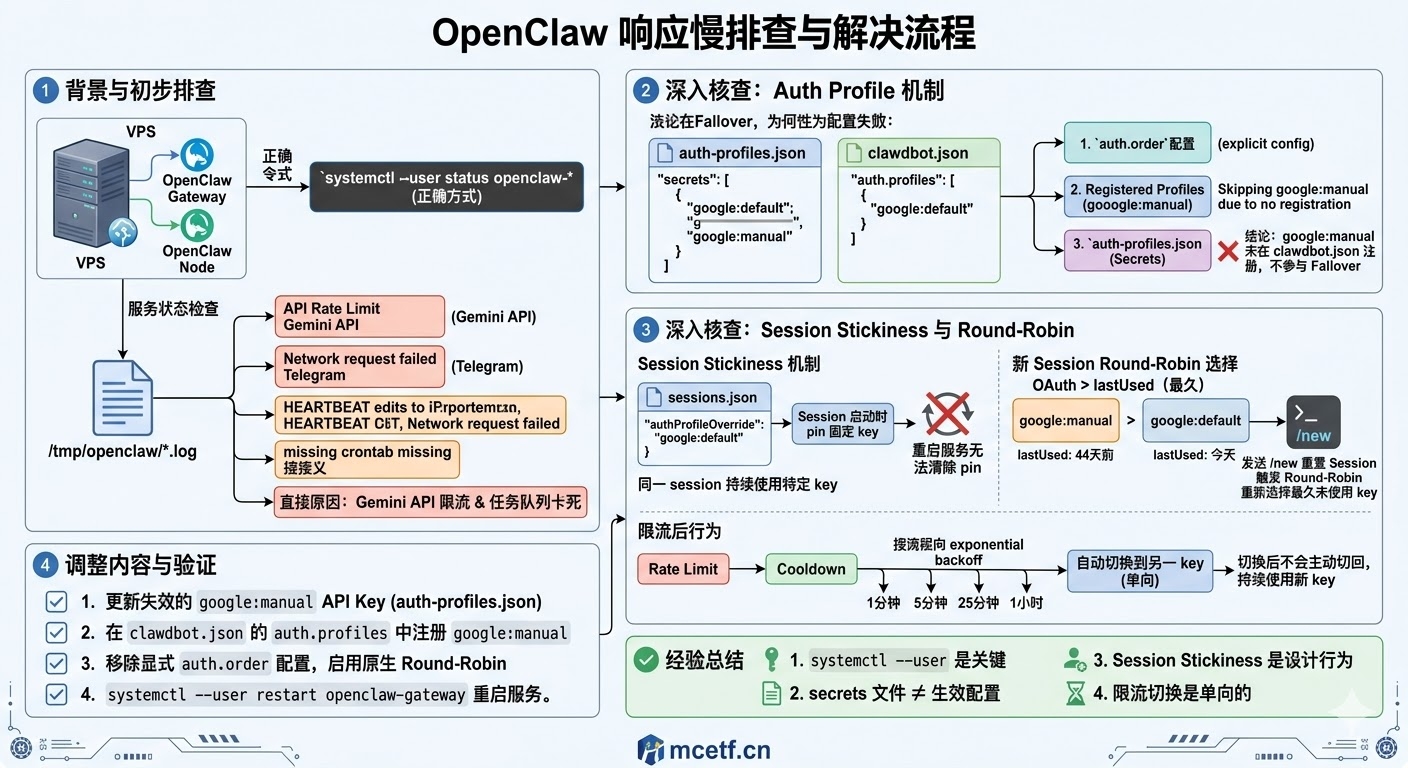
执行 systemctl status openclaw 提示 Unit openclaw.service could not be found,误以为服务未启动。
实际原因:OpenClaw 的 systemd 服务注册在 user 级别(~/.config/systemd/user/),需使用 systemctl --user 命令查看。
systemctl --user status openclaw-gateway  # 正确方式
systemctl --user status openclaw-node
确认两个进程均正常运行(已运行 2 天),服务文件路径:
/root/.config/systemd/user/openclaw-gateway.service/root/.config/systemd/user/openclaw-node.service
2.2 日志分析
查看 /tmp/openclaw/openclaw-2026-03-14.log,发现以下关键错误:
| 时间 | 错误类型 | 内容 |
|---|---|---|
| 20:22 | API Rate Limit | FailoverError: ⚠️ API rate limit reached |
| 20:27 | Telegram 网络中断 | Network request for 'sendMessage' failed! |
| 多次 | HEARTBEAT 编辑失败 | Could not find the exact text in HEARTBEAT.md |
| 多次 | crontab 命令缺失 | crontab: command not found |
直接原因:Gemini API 触达速率限制,任务队列卡死,叠加 Telegram 网络短暂中断。
三、深入核查:Auth Profile 机制
3.1 发现配置缺失
用户配置了 google:manual、google:default 两个 Google API key(原本计划三个,google:third 从未实际写入配置文件)。
限流后系统报 FailoverError 而非自动切换,核查 auth-profiles.json 后发现:
google:manual存在于 secrets 文件(auth-profiles.json)- 但
clawdbot.json的auth.profiles中只注册了google:default,缺少google:manual
根据 OpenClaw 官方文档(/docs/concepts/model-failover.md),rotation 的选择顺序为:
- 显式
auth.order配置 auth.profiles中注册的 profiles(此步骤跳过了未注册的google:manual)auth-profiles.json中存储的 profiles
因此 google:manual 实际上从未参与过 failover 轮换。
3.2 Session Stickiness 机制确认
通过查看 sessions/sessions.json,发现:
"authProfileOverride": "google:default",
"authProfileOverrideSource": "auto"
OpenClaw 在 session 启动时会 pin(固定) 一个 auth profile,整个 session 期间不会主动切换,除非:
- 发送
/new或/reset重置 session - compaction 完成
- 当前 profile 进入 cooldown
这解释了为何即使重启 gateway,系统仍持续使用 google:default——session 状态文件保留了 pin 记录,重启不会清除。
3.3 Round-Robin 机制说明
OpenClaw 在新 session 启动时,按以下规则选择 profile:
- OAuth 优先于 API key
- 同类型按
usageStats.lastUsed最久未使用的优先 - cooldown 中的 profile 排到最末
验证数据:
google:manual  lastUsed: 2026-01-29 10:39:31  (44天前)
google:default lastUsed: 2026-03-14 21:07:36  (今天)
即使修复注册问题后,由于 session stickiness,google:manual 仍未被选中。需发送 /new 重置 session 才能触发 round-robin 重新选择。
3.4 限流后切换行为说明
- 同一 session 内:限流触发 cooldown(指数退避:1分钟→5分钟→25分钟→1小时),自动切换到另一个 key,之后不会主动切回,持续使用切换后的 key
- session 重置后:round-robin 重新按
lastUsed选择最久未使用的 key - 两个 key 均限流:抛出
FailoverError,进入 model fallback 流程
四、调整内容
4.1 更新 google:manual 的 API Key
旧 key 已失效,重新申请新 key 后更新至 auth-profiles.json:
# 备份
cp auth-profiles.json auth-profiles.json.bak.20260314

# 通过 python3 脚本更新 key,清除不存在的 google:third
4.2 在 clawdbot.json 中注册 google:manual
在 auth.profiles 中补充注册,使其正式参与 failover 轮换:
"auth": {
  "profiles": {
    "google:default": { "provider": "google", "mode": "api_key" },
    "google:manual":  { "provider": "google", "mode": "api_key" }
  }
}
4.3 移除显式 auth.order,启用 Round-Robin
不设置 auth.order,由 OpenClaw 原生 round-robin 机制自动均衡使用两个 key,限流后通过 cooldown 机制自动切换:
// auth.order 不配置,依赖 round-robin4.4 重启服务生效
systemctl --user restart openclaw-gateway六、经验总结
systemctl --user是关键:OpenClaw 服务注册在 user 级别,系统级命令无法查到- secrets 文件 ≠ 生效配置:key 写入
auth-profiles.json不等于参与 failover,必须同时在clawdbot.json的auth.profiles中注册 - Session Stickiness 是设计行为:重启服务不会重置 session pin,需主动发
/new触发 round-robin 重新选 key - 限流切换是单向的:同一 session 内切换后不会主动切回,直到下次 session 重置