
📅 今日操作记录
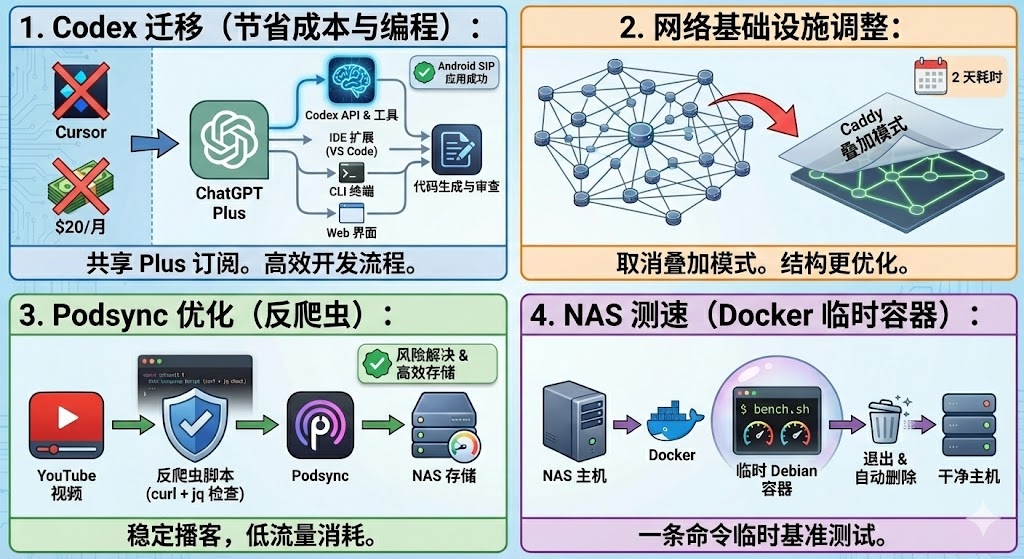
1. 开发环境重构:从 Cursor 迁移至 OpenAI Codex
- 变动决策:停止使用 Cursor,转为使用 OpenAI Codex。
- 成本考量:复用已有的 ChatGPT Plus 订阅($20/month),无需额外支付 Cursor 订阅费。
复盘 Cursor 使用体验:
- 评价:体验极佳,开发效率高。
- 成果:近期成功开发了一个 Android SIP 通讯 App。
- 心得:已掌握高效使用 AI 编程助手的诀窍(这些经验可迁移至 Codex)。
Codex 配置知识点:
使用方式:
- Web端:直接在 ChatGPT Plus 界面选择 Codex 工具。
- CLI工具:通过
npm install -g @openai/codex安装,终端直接交互。 - IDE插件:在 VS Code 中安装插件并授权。
- 额度说明:包含在 ChatGPT Plus 订阅中,共享使用限额(官方描述为“每周多次专注编码会话”)。
2. 网络基础设施调整
- 操作内容:对原有网络架构进行全面调整。
- 耗时:整整 2 天。
- 关键变更:取消了 Caddy 叠加模式,简化网络链路。
3. Podsync (YouTube 转播客) 优化
- 问题描述:原方案经常触发 YouTube 反爬虫/风控警告。
解决方案:
- 解决了风控问题,实现既能获取音视频,又避免网盘同步消耗大量流量。
- 使用
curl脚本验证视频是否存在风控风险。
风控验证脚本(关键代码存档):
curl -sS -A "Mozilla/5.0" \
  -H "Content-Type: application/json" \
  "https://www.youtube.com/youtubei/v1/player?key=xxxxxx" \
  --data '{"videoId":"q1WpRru-OA8","context":{"client":{"clientName":"WEB","clientVersion":"2.20240101"}}}' \
| jq -c '.playabilityStatus | {status: .status, reason: .reason, subreason: .messages, errorScreen: (.errorScreen.playerErrorMessageRenderer.subreason.runs[0].text // empty)}'
4. NAS 运维技巧:容器化测速
- 痛点:NAS 系统(如 Synology)不支持或缺少常规测速环境。
- 解决方案:使用一次性 Docker 容器运行
bench.sh。 - 核心原理:
宿主机 -> 启动容器 -> 容器内运行脚本 -> 退出并自动销毁。 标准操作流程:
启动临时容器:
Bash
docker run --rm -it debian:12 bash容器内安装依赖并测速:
Bash
apt update && apt install -y wget curl procps && wget -qO- bench.sh | bash- 退出:执行
exit,容器自动清理。
进阶(一键测速命令):
Bash
docker run --rm -it debian:12 bash -c "apt update && apt install -y wget curl && wget -qO- bench.sh | bash"